How do I know if my course has any special requirements, such as an access code or Respondus Monitor?
-
Check Course Availability
When viewing different sections of a course in Course Availability, look in the Attribute column. If you see “Special Reqs-Click Class Name,” then click on the class name in the Title column.
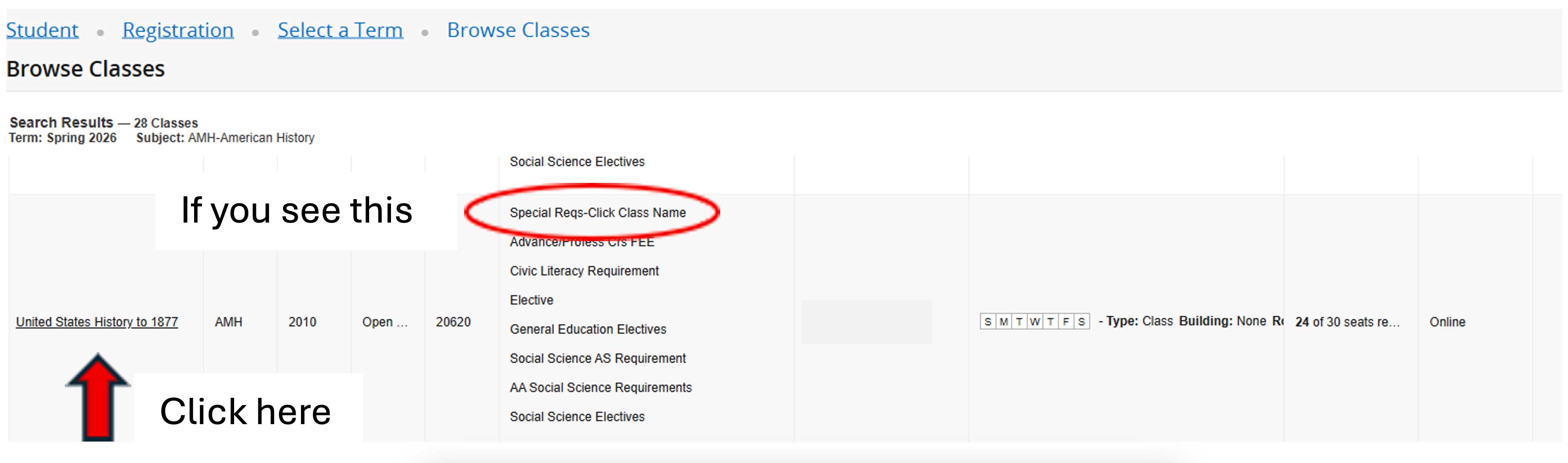
Select the class name when special requirements appear in the Attribute column. -
View Special Requirements
In the Class Details box, click on the “Special Requirements” link. Any special requirements will be listed under Required Materials.
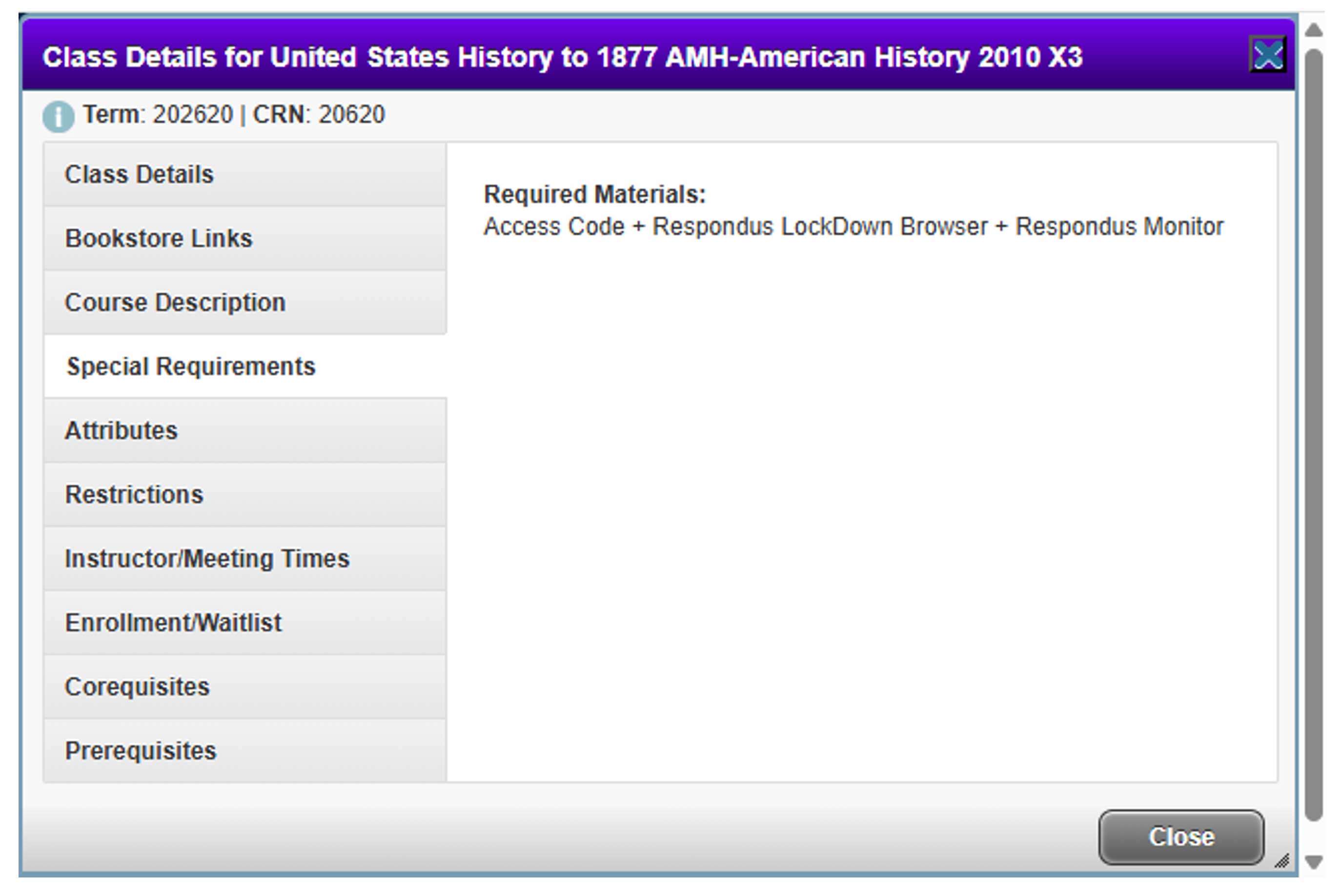
Review the Required Materials section for any special course requirements.